

What our customers say about social bi + more new features

Product Updates Published: October 28, 2020
What our customers say about social bi + more new features

Last month, we rolled out Social BI, a one-of-a-kind tool for building and sharing custom reports powered by your social data. We called it “our most important product release of 2020” (even though we have a few more exciting releases in store for you this year!), hoping our customers will back up this statement – and indeed they do.

We’ve already received lots of positive feedback about it. Here is one:

Social BI is absolutely unique in what I’ve seen in the industry. The ability to quickly build custom reports based on any set of social data and parameters, across all your channels, is a game-changer for us. I look forward to get insights that will help us drive more opportunities,” says Leah Dekalb, Social Media Manager at Druva.

If you haven’t tried Social BI yet, we encourage you to do it today! Go click on the new dashboard icon in the platform’s sidebar and start building your own social analytics experience.

While our customers are exploring Social BI and creating their first dashboards tailored to the unique goals and KPIs of each organization, we keep tweaking and improving this mighty tool.

Here are some of the latest updates we’ve added to Social BI.

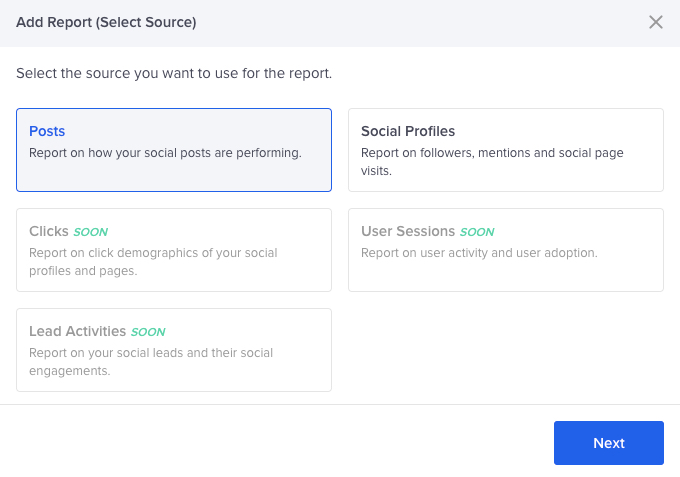
New Select Source window

The first step for creating every report. We’ve updated the window’s UI and soon will add a few more data sources, such as user sessions (for reporting on your marketing team’s and advocates’ usage and adoption), social clicks (for reporting on your click demographics) and lead activities (for reporting on your social leads and their engagements).
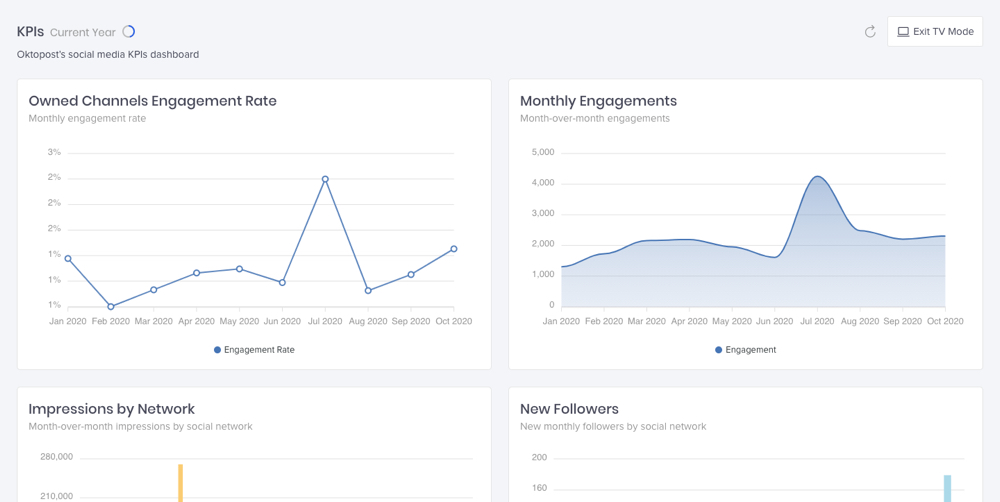
TV mode

Excited to show your new dashboards to the team? We know! That’s why we’ve added TV mode that will make your presentation even more impressive. To enter TV mode, click on a three dots icon in the top right corner of a dashboard.
PowerPoint exports

Download your reports and dashboards in .PPTX format as beautiful PowerPoint presentations.

Move reports between dashboards

That might come in handy if you want to migrate or duplicate some of your reports to a different dashboard.

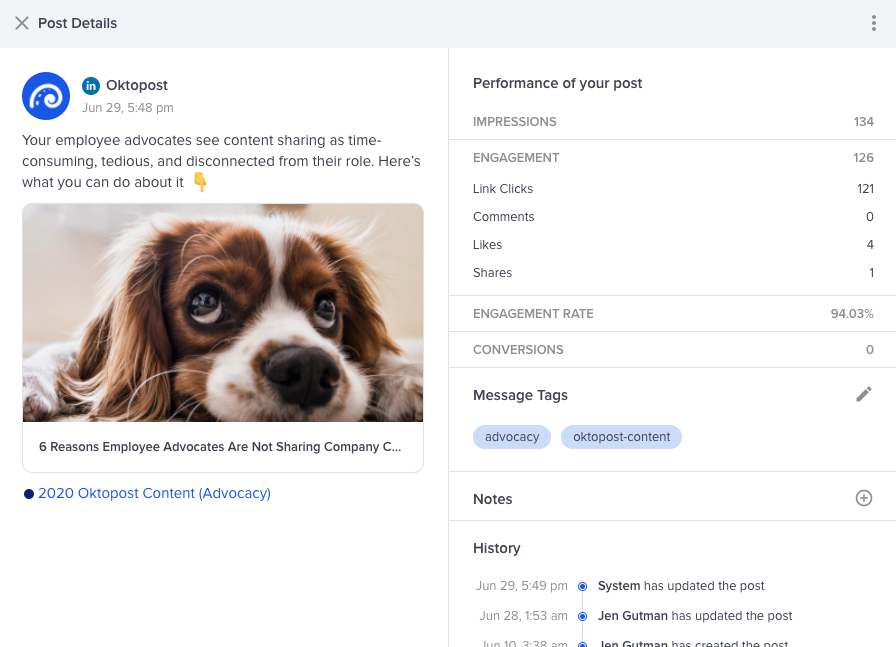
Post drill-down

Now you can drill down into every social post from your reports to view it. How cool is that?
That’s all for now. We will keep you posted on any further updates to our Social BI. Meanwhile, we’d really appreciate your feedback on this feature. What do you think about Social BI?
Frequently Asked Questions

How does Oktopost Social BI enhance custom social media reporting for B2B organizations?

Oktopost Social BI empowers B2B organizations to build and share entirely custom reports, moving beyond generic dashboards. It consolidates social data across all channels, allowing marketers to tailor analytics to specific organizational goals, unique KPIs, and demonstrate the direct impact of social media on business objectives.

What B2B-specific data sources can I leverage with Oktopost Social BI for lead generation and engagement tracking?

Oktopost Social BI is designed to integrate critical B2B data sources. Upcoming additions will include user sessions to track marketing team and advocate activity, social clicks to analyze audience demographics, and lead activities to report on social leads and their engagements, providing a comprehensive view of your B2B social funnel.

How does Oktopost Social BI facilitate efficient presentation and sharing of social media insights with B2B stakeholders?

Oktopost Social BI offers several features to streamline sharing and presentation for B2B stakeholders. You can utilize TV mode for impactful live presentations, export full dashboards as professional .PPTX files, and easily move or duplicate reports between dashboards to tailor content for different internal audiences.

Can Oktopost Social BI adapt to evolving B2B marketing strategies and diverse reporting needs?

Absolutely. Oktopost Social BI is built for flexibility, allowing users to quickly build custom reports based on any set of social data and parameters across all your channels. The ability to move reports between dashboards further ensures that your reporting can adapt and evolve alongside your B2B marketing strategies and changing KPIs.

How can B2B marketers gain granular insights into individual social post performance using Oktopost Social BI for optimization?

Oktopost Social BI provides robust drill-down capabilities, enabling B2B marketers to go beyond aggregate data. You can now drill down directly into every social post from your reports, viewing the individual post to understand its context, performance, and identify specific content that resonates best with your target B2B audience for future optimization.

Get ready!

The latest B2B marketing magic is about to land in your inbox
Join 30K+ pros already on the inside

Engaging social media content and interaction, illustrating B2B social media marketing tips and insights.