



- A public profile with a personalized URL makes it easier for prospects to find and vet a rep
- A headline should speak to what a rep helps buyers with, not just restate a job title
- Pinning top-performing posts to the Featured section gives visitors quick proof of expertise
- Writing the experience section around client outcomes builds more trust than listing responsibilities
Since social selling is all about creating meaningful conversations and building trust with potential customers, optimizing your LinkedIn profile for social selling success is the first step to achieving this.
50% of buyers will avoid a sales professional with an incomplete LinkedIn profile.
It’s hardly surprising when you think about it. Who would trust an anonymous profile with little activity and information over an industry expert who uses their profile to showcase their knowledge?
To create meaningful connections and open sales opportunities, sales professionals need to build profiles that effectively showcase their expertise, professional brand, and how they can help their target audience. After all, prospects want to know they are speaking to an expert.
Here’s what you need to include in your LinkedIn profile for social selling success:
Jump ahead:
- Make sure your profile is visible and easy to find
- A professional profile photo
- Upload a banner image
- Include a compelling headline
- Write a valuable personal summary
- Pin your best posts to your Featured section
- Fill out your experience section with relevant information
- Add relevant Skills
Here’s everything you need for an effective social selling profile on LinkedIn:
1. Make sure your profile is visible and easy to find
To widen your reach and interact with more buyers online, you’ll want to ensure they can find you. When you first set up your LinkedIn account, your profile will be public by default. If you changed this setting in the past, set yourself to public again.
To help users find your profile, personalize your URL with your first and last name.
Just like this one: https://www.linkedin.com/in/whitneyhoving/
2. A professional profile photo
Including a professional profile photo is the first step to gaining buyer trust. It’s probably no surprise that buyers are less likely to listen to the advice of a professional profile that lacks a headshot. After all, having a LinkedIn Profile without an image is considered unprofessional.
Opt for a high-quality, approachable, friendly solo picture that fits your brand.
3. Upload a banner image
Whether it is a company-branded banner or a custom image with an eye-catching tagline that appeals to your audience, an effective banner will grab potential buyers’ attention as they click on your profile and increase your chances of LinkedIn social selling success.
Your banner should tell buyers who you are and what you can offer them. If your banner includes text, ensure your profile photo doesn’t cover any important details.
4. Include a compelling headline
Your headline is the first piece of information a prospective buyer will see about you, so use it to build trust and establish credibility.
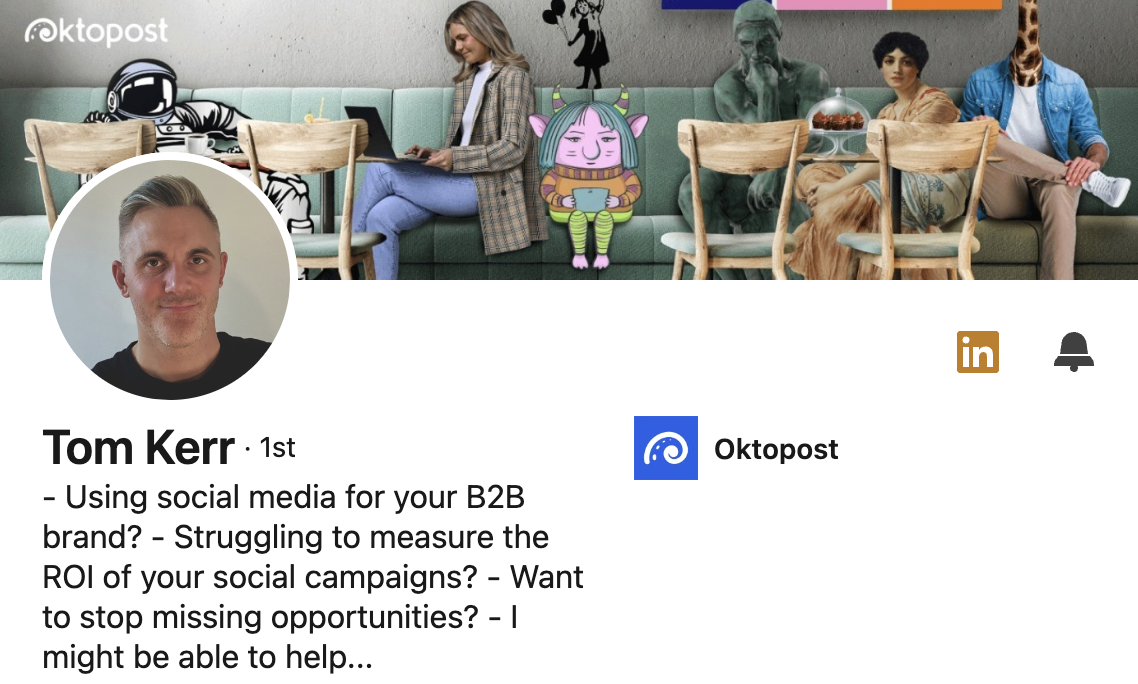
This is what will keep a prospect scrolling through your profile. Make it attention-grabbing, and ensure it addresses their challenges. If they think you’re not equipped to help them with their needs, they’ll continue searching for someone who can.
Instead of just listing your job title, use the headline space to add value. This is your opportunity to grab buyer attention by clearly stating who you help and how you do it.
Here’s how Tom Kerr wrote his headline:
5. Write a valuable personal summary
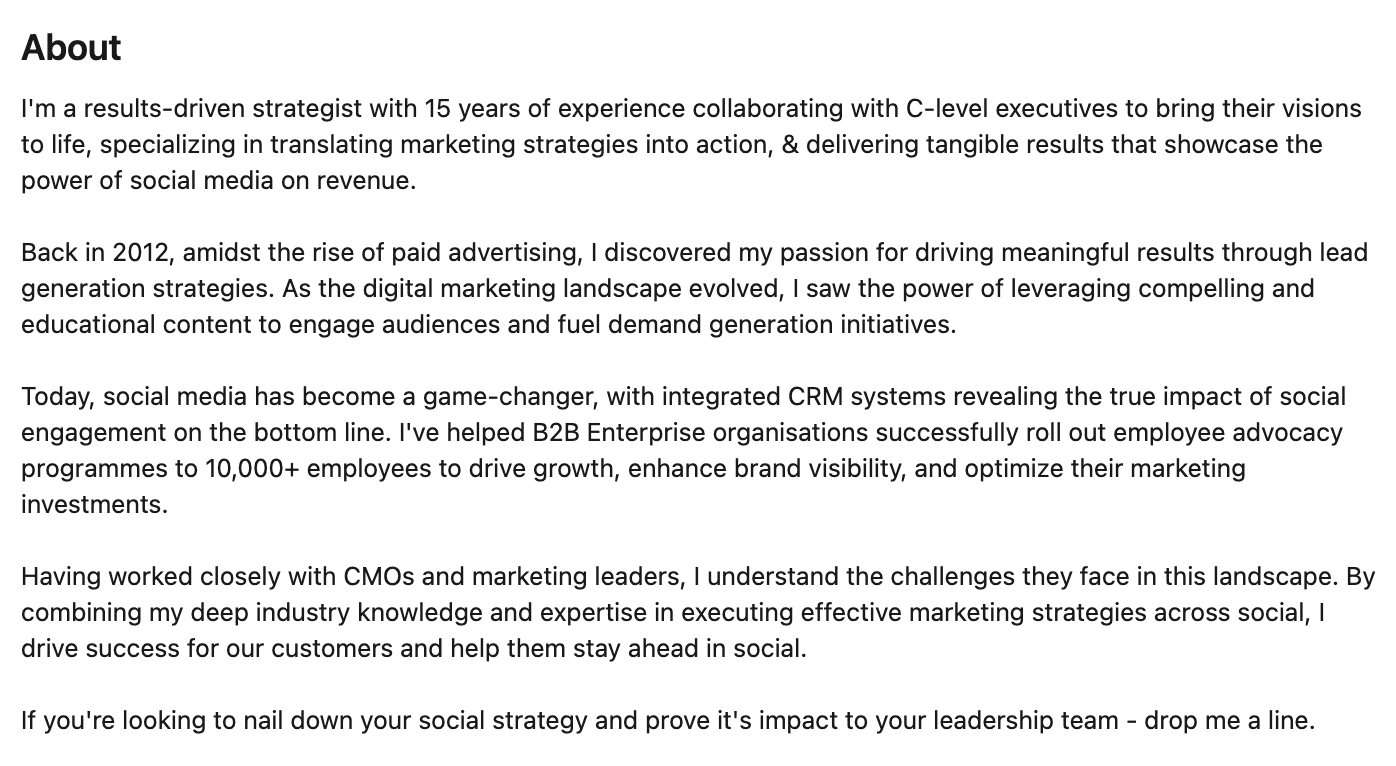
Your summary is your chance to tell your story. Use this space to differentiate yourself from other sales professionals in your industry by sharing what you do, how you can help your target audience, and how to get in touch with you. You’ll want to include a few keywords relevant to your industry so a buyer can immediately spot if you can help them.
Remember, people trust people they like and buy from people they trust. Buyers will form their opinions based on your profile.
Here’s an example from Neil Murphy’s profile:
6. Pin your best posts to your ‘Featured’ section
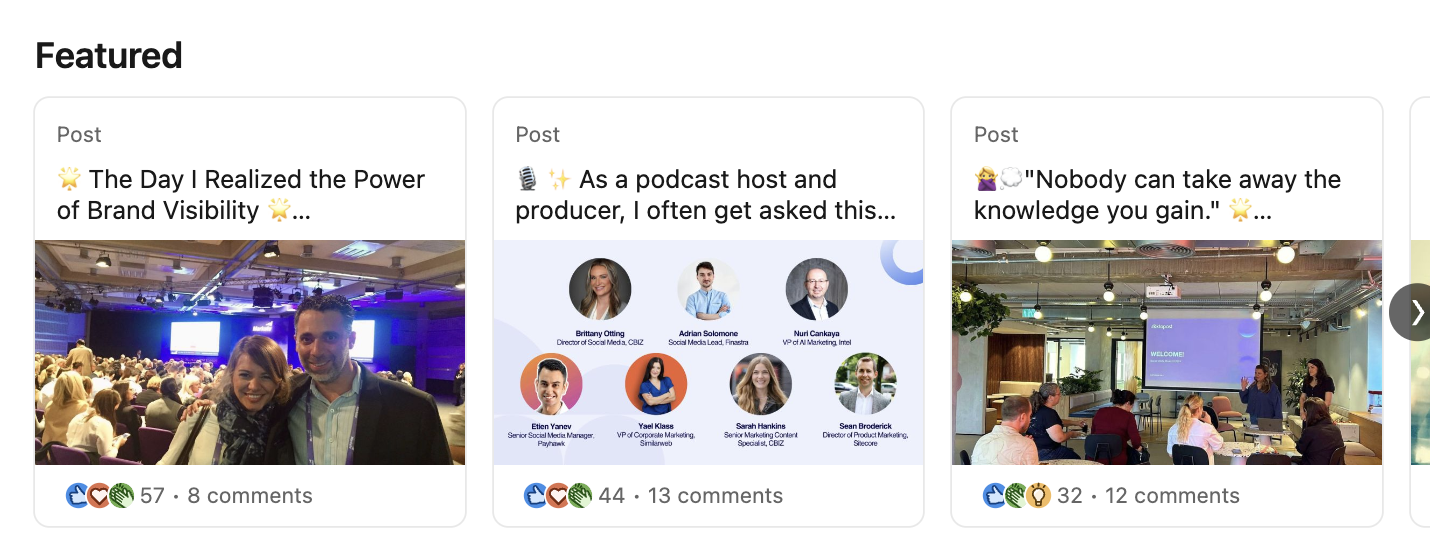
Select a few popular posts and pin them to your ‘Featured section’. This will catch your target audience’s eye when they’re looking for more information about what you do on your profile.
This could be a thought leadership post that performed well or relevant industry updates for your audience.
Pinning your top-performing or most valuable posts to your profile will help visitors find your content easily and help you spotlight the content you’d want them to see first.
Here’s the content Jennifer Gutman pinned:
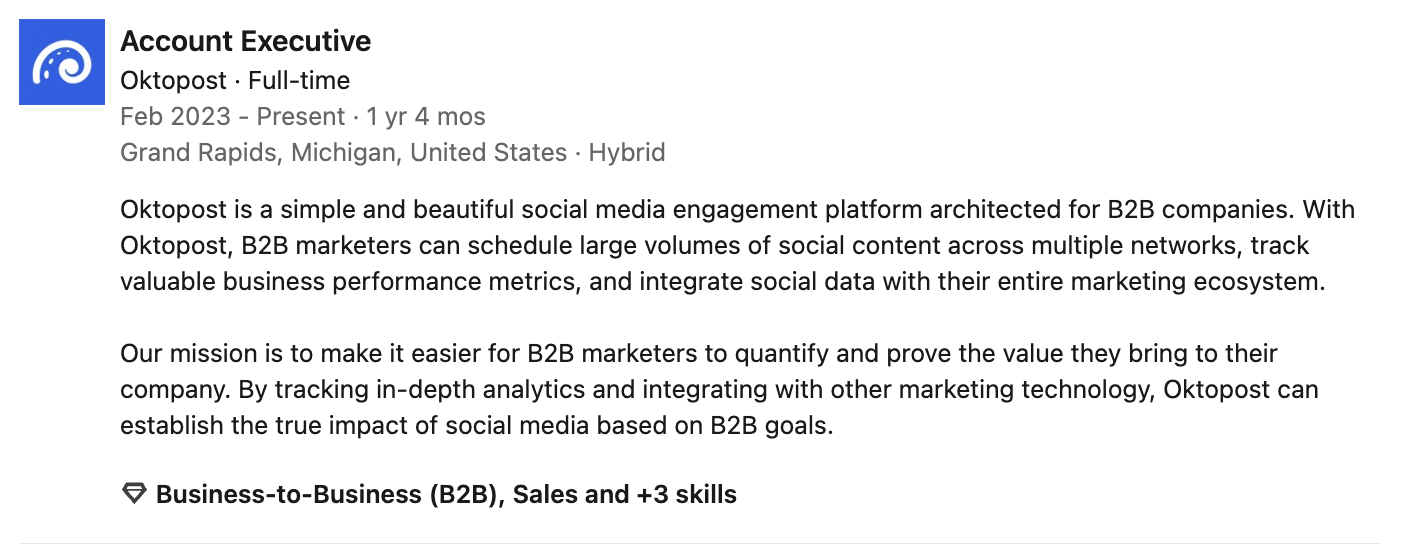
7. Fill out your experience section with relevant information
Here’s where you can get creative. Rather than using LinkedIn solely as a digital resume, use this section to demonstrate what you’ve done for your customers and what you can do for your target audience.
Under each of your previous job titles and your current role, focus your description on the results you helped your customers achieve and the problems you helped them overcome.
While this might be a minor detail change and not commonly thought of, when a potential buyer reads it, you will establish more trust than if you solely wrote about your achievements.
Here’s what Ashley Howe included:
8. Add relevant ‘Skills’
LinkedIn allows you to add specific skills to your profile and have them endorsed by your connections.
Utilize this space to include skills relevant to your industry and sales career. Your colleagues can also endorse them, which can help validate your experience.
Open more opportunities with an optimized LinkedIn profile for social selling
Optimizing your LinkedIn profile for social selling success is about strategically presenting yourself as a trustworthy, knowledgeable, and approachable professional.
Enhancing visibility, creating a compelling narrative through your headline and summary, and showcasing your expertise with a complete experience section and endorsements will open more opportunities for meaningful connections and valuable engagement with potential customers.
Remember, a well-optimized profile is the foundation for building lasting relationships and driving sales success.
For more tips, check out our best practices for social selling.