


- LinkedIn's visitor-to-lead conversion rate is 277% higher than its nearest competitors.
- Sales Navigator's advanced filters narrow InMail targeting to actual decision-makers.
- Mutual connections lift response rates meaningfully: sharing a former employer makes a lead 27% more likely to reply.
- Message Ads and Conversation Ads scale beyond InMail's sending limits, reaching a wider audience.
B2B has a favorite social media platform, and it’s LinkedIn. It turns out that the site built for professional networking is populated with the buyers and decision-makers that B2B marketers desperately want to reach, so an interested and receptive audience can often be found there. By the numbers, it’s not even close: LinkedIn’s visitor-to-lead conversion rate is 277% higher than those of its nearest competitors Twitter and Facebook. For B2B marketers looking to generate high-quality leads, no social network is more important than LinkedIn.
LinkedIn is more than happy to assist B2B sellers in their quest. It offers premium features and paid tools that make it easier to reach out to members you haven’t already connected with. One of their best tools is InMail, which provides marketers with a simple and direct way to get their message out to specific individuals.
In B2B marketing, as in all things, it never pays off to go charging in without a plan. With that in mind, we’ve put together five essential tips for running an effective lead generation campaign based on LinkedIn InMail.
What is LinkedIn InMail?
You can send direct messages to other LinkedIn users, but only if you’re already connected with them. To send a cold message to somebody you don’t know, you’d first have to send them a connection request and then hope they accept it.
InMail is a feature offered to LinkedIn Premium subscribers. It allows you to send a certain number of InMail messages each month — between 5 and 30, depending on your subscription tier. InMail messages can be sent to anybody on LinkedIn, even if you aren’t connected.
InMail messages are labeled as such, but they go directly to the recipient’s inbox. They can be up to 2,000 characters long and have up to 200 characters in the subject line.
How is LinkedIn InMail different from email?
But wait — there’s an easier way to directly contact somebody you don’t know yet, and it’s free. You could just email them. Right?
Of course you could, and as part of a well-thought-out email marketing campaign, you should be doing that. As a communication channel that’s tied to a specific social media platform, InMail can’t be seen as a replacement for email. It does, however, offer distinct advantages over cold emailing.
For one thing, there’s a much more widely-used term for sending cold emails: spamming. People get so many marketing messages from unfamiliar sources that most are filtered directly to a spam folder or never read.
Because of the sending limits, InMails are more targeted and selective. Since they come from a recognizable human being’s LinkedIn account, recipients are more likely to open them and give them due consideration. Reportedly, the response rate for InMails is three times higher than that of regular emails.
Why LinkedIn InMail is a great opportunity for B2B
B2B marketing can be tough. The stakes are higher, the sales cycles are longer, and you usually have to win over an entire team of decision-makers. That’s why it’s critical to start with high-quality leads, and LinkedIn is a great place to find them. On a social media platform focused on professional interactions and business networking, thoughtful, relevant information about B2B solutions is expected and welcome. B2B marketers report that LinkedIn produces 80% of their social media leads, and InMail is one of the most effective tools for making that initial contact.
InMail has some nice perks, such as built-in analytics. But InMail’s greatest benefit is that it allows you to easily target the people who make purchasing decisions for their organizations.
When a major B2B purchase is on the table, individuals from multiple departments may have a hand in finalizing the decision. With InMail, you can contact them directly, even as an ABM tactic, without having to search for their current contact information and praying they won’t shunt your email directly into their junk mail folder.
5 Ways to generate leads with LinkedIn InMail
1. Target your leads with sales navigator
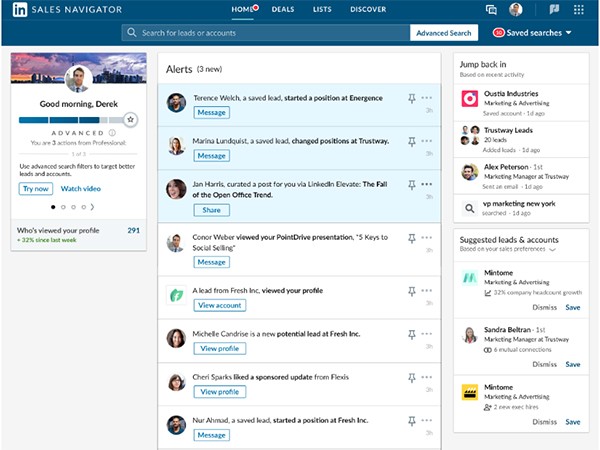
LinkedIn’s higher premium tiers include access to Sales Navigator. It’s their advanced search tool that lets you perform unlimited searches for users filtered by region, industry, company size, job title, level of seniority, and other criteria. Sales Navigator is incredibly useful for finding new lead recommendations and for zeroing in on the key decision-makers you’re looking for.
Here are a few tips on using Sales Navigator efficiently:
- Look for users with open profiles — sending them InMails won’t count against your limit.
- Use the “Interested In” filter to find users who are looking for the type of solution you’re offering.
- You get larger profile and background photos at the premium tiers that include Sales Navigator, so use high-quality images that will make an impact.
- Use the TeamLink feature to search for users who have mutual connections with you.
2. Create InMails using best practices for success
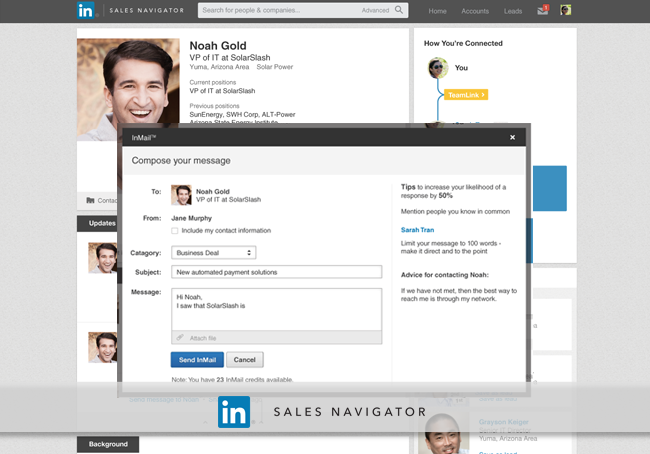
If you’re looking for advice about optimizing InMail, why not start with LinkedIn’s in-house experts? Here’s a quick rundown of what they’ve got to say. First, the basics:
- Be concise and get to the point quickly.
- Tell the lead why you targeted them and what you hope to achieve by reaching out.
- Use an authentic, conversational voice and avoid generic boilerplate.
- Include a CTA that gives them the motivation to respond.
Now for the pro tips:
- For the best chance of getting a response, send InMails in the middle of a weekday morning, between 9 and 10 AM.
- Don’t send InMails on Saturdays.
- Be sure to bring up your mutual connections or shared experiences. Leads with whom you share a former employer are 27% more likely to respond, and 46% more likely if they’re already connected with one of your current co-workers.
3. Try these InMail hacks to increase your response rate

These field-tested ideas can do wonders for your InMail response rate when used appropriately:
- Personalize your message by using information from the target’s LinkedIn profile.
- In terms of your voice and tone, try hard to strike a perfect balance between professional and personable.
- If you don’t get a reply from your first InMail to a target, it’s okay to try again and follow up within about five to seven days.
- Do some A/B testing: send two different versions of the same message to two similar target segments and see which message performs better.
- Don’t be afraid to leverage any commonalities you have with the target of your message. If you have mutual friends, went to the same college, or attend the same professional events, be sure to mention it.
4. Automate your InMail lead generation
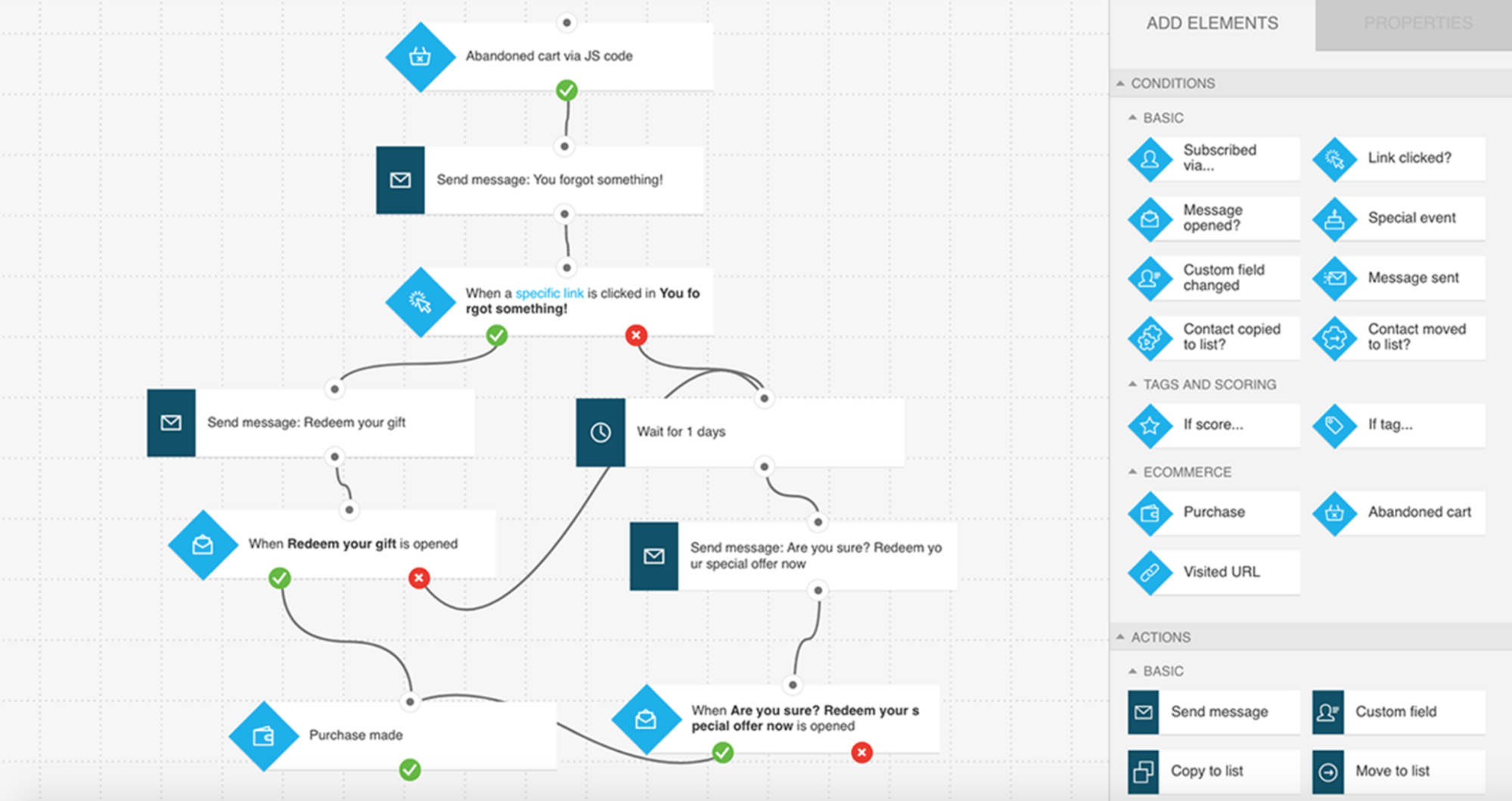
Automation can be a huge time-saver, but when you’re using third-party tools with InMail you have to be careful to stay within their terms of use. If you use automation to compose your messages, avoid being too generic. Build customer personas based on the different decision-maker types you’re trying to reach and tailor your messages to them.
Some good uses for automation include visiting profiles, sending connection requests, and trawling LinkedIn Groups for new targets.
5. Use message ads or conversation Ads
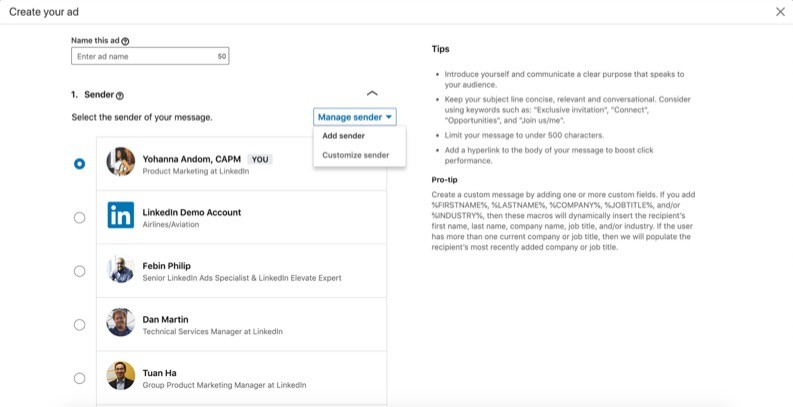
As effective as InMail can be, it doesn’t really scale for more wide-reaching marketing campaigns. InMail comes with sending limits and requires specific recipients. The way to reach a bigger audience is through LinkedIn’s paid advertising services, Message Ads and Conversation Ads. You can use demographic filters to create audience segments for these ads, which get delivered when the targets are online to see them.
These messages show up in users’ inboxes, just like InMail, but they’re tagged as ads and recipients can’t reply to them. Instead, the messages come with a CTA that the recipient can click, providing an immediate path to conversion.
Message Ads
Formerly known as sponsored InMail, these messages include a single CTA. Various campaign options are offered, including brand awareness, website visits, engagement, lead generation, website conversions, and more. You can use Lead Gen Forms in your ads and make use of the built-in reporting features to see how they’re performing.
Conversation ads
Conversation ads provide recipients with multiple custom CTAs, inviting them to follow a branching path of options toward the content that best matches their needs for where they’re currently at in their buyer journey. LinkedIn’s campaign manager tool will let you view a flowchart-like graph that shows which options your respondents selected. It provides valuable information about your campaign that you can use as a makeshift survey on top of your lead gen efforts – and at no additional cost.
Whichever type of ad you choose, keep your message brief and focused, include as much personalization as possible, and have lots of relevant content ready for your new leads to engage with.
Conclusion
B2B marketing always comes down to winning over the stakeholders who make the purchasing decisions, and LinkedIn is the best place to find and connect with them. InMail can be a powerful vehicle for getting your message out in front of key individuals at the right place and time. For businesses following an account-based marketing strategy, InMail is an indispensable tool.
One side effect of a solid InMail campaign is that you’ll be drawing a lot more attention to your LinkedIn profiles, so it’s essential to support your campaign with regular postings. Solutions like Oktopost can help you create and schedule posts that will contribute to a compelling and engaging social media presence – and leave your new leads wanting more.