




- UTM Builder gets social credit for clicks.
- Untagged links show up as direct traffic.
- Advocacy calculator values reach as paid media.
- Real social ROI counts team, tools, content.
- All three tools are completely free to use.
The big picture
Halloween is just a few days away and your last quarterly review of the year starts soon. The CFO leans forward and asks how much pipeline social generated and the room goes quiet.
Sound familiar?
Most B2B social teams do valuable work. Proving it is the hard part.
Each of the three free Oktopost tools below answers one piece of the ROI question, and none of them needs an account to get started.
Why is social media ROI so hard to prove in B2B?
Reach, impressions, and engagement rate show that content is being seen, which is a long way from showing it moved a deal forward. Sales cycles run long and buying committees are large, so a post that sparked interest in March might influence a deal that closes in September. By then, nobody remembers where the first touch came from.
Most of the trouble comes from three gaps. Links go untracked, nobody puts a value on employee reach, and reports stop at engagement. Even a polished social ROI dashboard might be misleading you if it never gets past likes. Each tool below closes one of those gaps.
1. UTM Builder: Get credit for every click
Without UTM parameters, a click from a LinkedIn post often lands in analytics as “direct” or “referral,” and social gets no credit for the visit or the lead that follows.
Oktopost’s free UTM Builder fixes that in a few seconds per link.
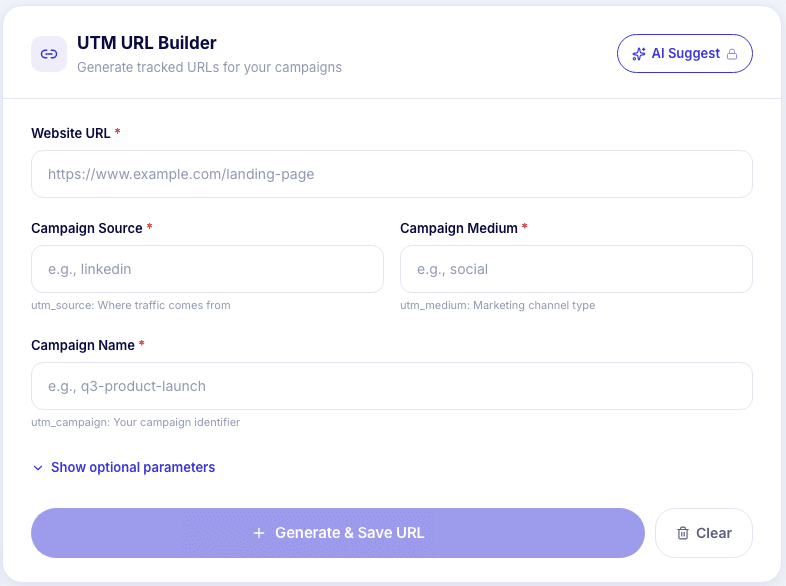
What makes it useful for B2B teams:
- B2B presets: Sources and mediums like LinkedIn, employee advocacy, and webinar come pre-populated, so the whole team tags links the same way.
- Clean naming: It enforces lowercase values, which stops “LinkedIn” and “linkedin” from showing up as two different sources in Google Analytics.
- AI Suggest: Describe a campaign in plain text and get suggested parameters.
- Bulk export: Build several tagged URLs in one session and export them as a CSV for campaign planning.
Use it when: social traffic is showing up as “direct” in analytics, or different team members tag the same campaign in different ways. The core builder needs no account or email.
2. Employee Advocacy ROI Calculator: Put a number on employee reach
Employees share company content to networks far larger than the brand page, but that reach rarely shows up in a budget conversation.
The Employee Advocacy ROI Calculator estimates what it’s worth by asking a simple question: what would those clicks cost if you had to buy them as paid media?
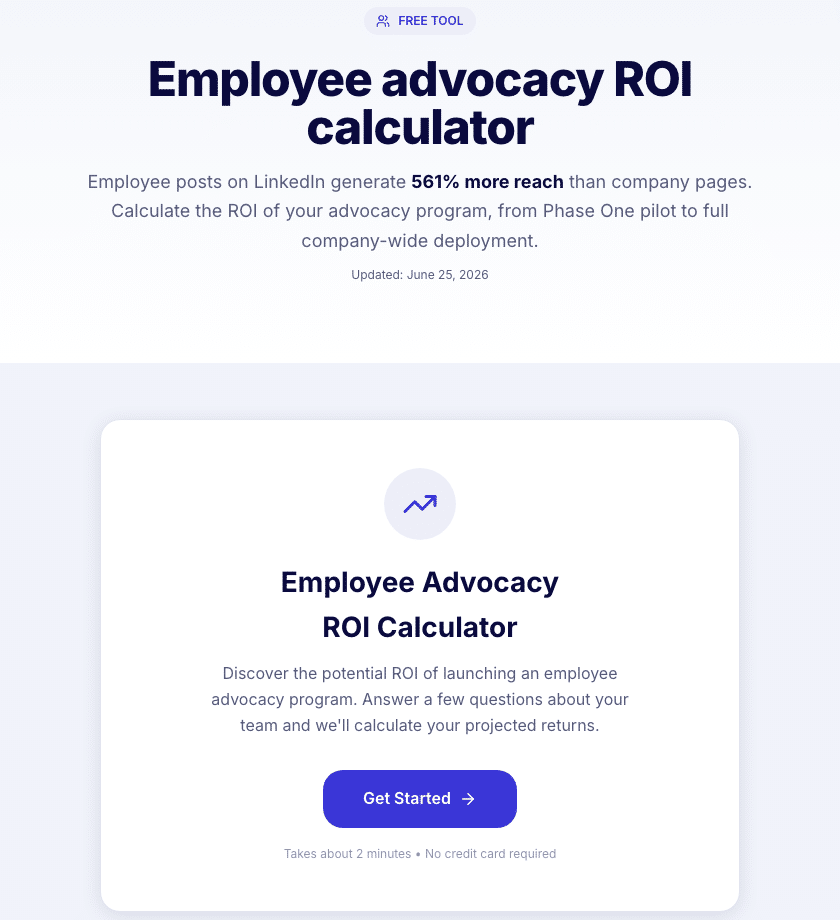
It takes about two minutes. Enter company size, how many employees could take part, and current content output, then add industry benchmarks for cost per click, conversion rate, and deal value (B2B defaults are filled in).
The report puts two scenarios side by side: a Phase One pilot with a small group of advocates, and a full company-wide rollout. Each one gets projected traffic value, leads, and pipeline. There’s also an AI-written executive summary, and you can export the results as an image, CSV, or Excel file to share with stakeholders.
Use it when: building the business case for an employee advocacy program, or defending one at budget time. For the reporting side once a program is running, see how to calculate earned media value and how to define employee advocacy ROI for enterprise teams.
3. Social ROI Calculator: See the full-cost picture
Most teams underestimate what social costs because they only count ad spend.
The Social ROI Calculator starts with all four cost lines: team and agency costs, tools and software, content production, and paid social ad spend.
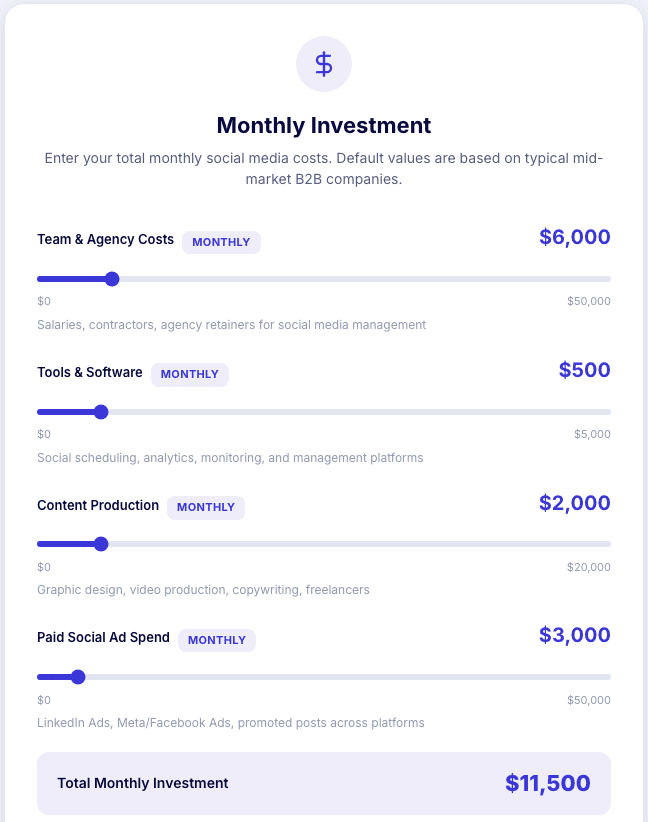
Next, it asks for monthly activity (posts, impressions, engagements, clicks) and revenue data (leads, conversion rate, deal value). You get cost per click, cost per lead, and cost per customer from social, plus AI recommendations based on your own cost structure. The final step asks for a work email to deliver the report.
The math behind it is the standard formula: (revenue from social − total investment) ÷ total investment × 100. Take the calculator’s default monthly budget of $11,500. If social-attributed deals bring in $46,000 that month, ROI is ($46,000 − $11,500) ÷ $11,500 × 100 = 300%.
Use it when: preparing for a quarterly review or budget planning, and leadership wants one number for the whole program, not just paid campaigns.
Which tool should you start with?
We covered three free tools that each close one gap in proving social ROI, from tracking clicks to valuing employee reach to calculating the return on the full program. Here’s where to start:
- Social traffic shows up as “direct”: start with the UTM Builder. Nothing else works until clicks are tracked.
- Asking for advocacy budget: use the Employee Advocacy ROI Calculator to show pilot and full-rollout value.
- Quarterly review coming up: run the Social ROI Calculator for a full-cost ROI number.
All three are free, and none require an Oktopost account.
Curious what else Oktopost can do to turn social into pipeline? Request a demo.