SOCIAL MEDIA TEAMS

Run every part of your B2B social program from one platform

Built specifically for B2B marketing, Oktopost helps teams plan, publish, amplify, and measure social whilst demonstrating business impact.
Run every part of your B2B social program from one platform

Trusted by social media teams at mid-market and enterprise

Monday.com logo, a partner with Oktopost's B2B social media management platform.
Fujitsu: strategic social media management for manufacturing brands.
DKSH logo
HCLTech logo
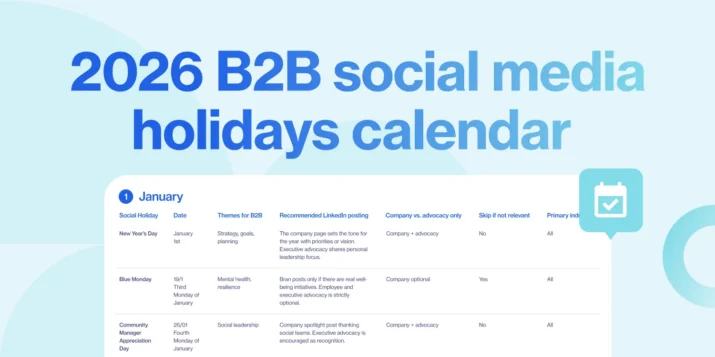
Content Calendar Layout
CONTENT CALENDAR

Plan LinkedIn and your social media channels from one calendar, then let it run

LinkedIn first, then X, Facebook, and Instagram in one view. Bulk scheduling loads the whole week in a single session, campaign tags connect each post to the data you’ll need later, and content goes out on time without a daily check-in.

Why B2B marketing teams choose Oktopost

Outcomes from social media practitioners using the platform

10x

Greater reach, extending beyond brand audiences

8x

Higher engagement, creating more meaningful interactions

7x

More conversions, turning visibility into pipeline

APPROVAL WORKFLOWS

Posts stop getting stuck in someone’s Slack DMs

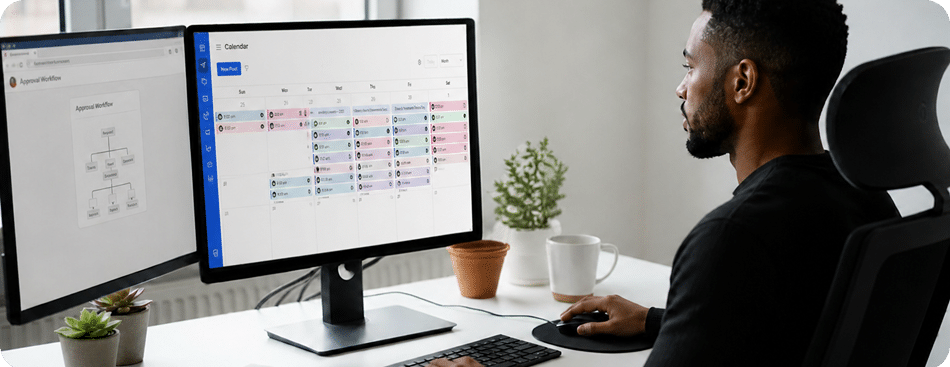
If your current approval process runs through email threads and Slack messages, you already know what happens: posts sit unreviewed, go out late, or get published without the right eyes on them.

Oktopost routes content through structured review stages with role-based permissions. Submit a post for approval and you can see exactly where it is: who’s reviewed it, who hasn’t, and when it needs to move. No follow-up messages. No “did you see my Slack?” The audit trail is there without you having to build it.

Daniel Klaus

“When we look at the last 6 months, Oktopost’s employee advocacy solution enabled our employees to share 10X more social content, generating a 70% increase in our organic social reach”

Daniel Klaus
Daniel Klaus
Senior Manager of Global Digital Marketing, Fujitsu
Employee advocacy

Stop chasing employees to share content.
Give them a board worth opening.

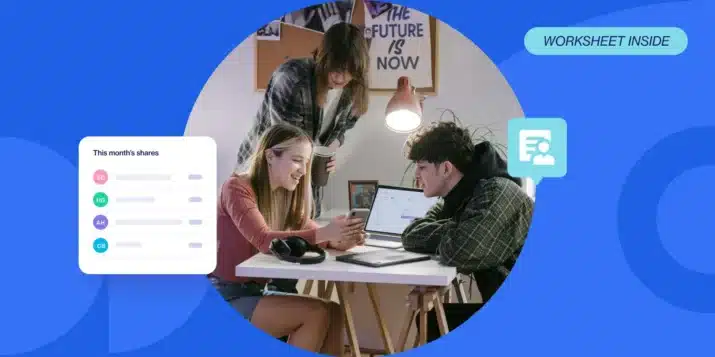
Today’s advocacy workflow is a Google doc of suggested posts, a weekly reminder nobody answers, and a spreadsheet that may not reflect who actually shared. Low participation reflects the friction, not the interest. Oktopost’s advocacy board puts ready-to-share content in front of employees on desktop and mobile, shows who shared and each post’s reach, and uses gamification and leaderboards to lift participation without nudging anyone.

Stop chasing employees to share content. <br>Give them a board worth opening. Stop chasing employees to share content. <br>Give them a board worth opening.
AI ASSIST

One piece of content. Four channel-ready posts. Done in minutes.

Turning one blog post into a LinkedIn post, an X update, an advocacy-board version, and an Instagram caption used to be 45 minutes of reformatting. Paste the source, choose your channels, and AI Assist generates variations tuned to each network. You review, edit, and schedule.

Marketing team discussing social media analytics
ANALYTICS AND REPORTING

Walk into Monday’s standup with the answers

Before anyone asks how social performed last week, you already have the answer. Campaign performance, employee advocacy, LinkedIn native metrics, and pipeline attribution are all available in one place, ready to filter, share, and present in seconds.

More of what social media managers rely on

Every feature below is native to Oktopost: no add-ons, no separate contracts.

UTM management

UTM parameters are assigned inside the publishing workflow. Every post leaves Oktopost properly tagged so your social traffic lands clean in Google Analytics and your CRM.

Mobile app (iOS & Android)

Manage your advocacy board, approve posts on the go, and check performance from your phone. The full workflow is available on mobile – not a stripped-down version.

LinkedIn-native analytics

Post performance, follower growth, and engagement data pulled directly from LinkedIn’s API. No manual exports, no reconciliation between platforms.

Content queues

Set up always-on content that recycles and republishes automatically. Your evergreen posts stay active without manual reloading.

Multi-channel publishing

Publish to LinkedIn, X, Facebook, and Instagram from a single workflow. Channel-specific formatting is handled in the compose interface so you’re not repeating work.

Social inbox and engagement

Monitor and respond to comments and messages across channels from one inbox. Conversations don’t get missed because you’re switching between platform tabs.

Everything your social team needs, together

See how social teams plan, publish, engage, and report without switching tools.

Frequently Asked Questions

Can multiple people use the same social media account in Oktopost?

Yes. Oktopost supports role-based multi-user access, so multiple team members can draft, review, and publish without sharing login credentials. You assign roles — writer, reviewer, publisher — and each person gets the access level that matches their job. Team members can work simultaneously across channels without stepping on each other's posts. Account credentials stay with the platform admin.

How does social media post approval work before publishing?

You set up approval chains with the right reviewers at each stage. When a post is ready for review, Oktopost notifies the assigned reviewer automatically. The post moves through each stage in sequence — the next reviewer only sees it once the previous one has approved. You can see where any post sits in the chain at any time. Nothing publishes until it clears every required stage, and the full approval history is logged with timestamps.

What is employee advocacy software and does my team need it?

Employee advocacy software makes it easy for employees to share company content on their personal social profiles. Instead of sending a message with a link and hoping someone shares it, you curate a board of pre-approved posts that employees can share in one click from desktop or mobile. If your team is already trying to activate employees on LinkedIn but managing it manually, advocacy software turns that into a trackable workflow — with data on who shared, what content performed, and how much reach the program generated.

How do I schedule LinkedIn posts in bulk for a B2B company?

Oktopost's bulk scheduling lets you upload and schedule multiple posts at once rather than setting each one individually. You can build out weeks of LinkedIn content in a single session, assign campaign tags at the same time, and let the queue run. Content queues let you set up evergreen posts that recycle automatically so your always-on content stays active without manual reloading. The calendar view shows everything planned across channels so you can see gaps and conflicts before they happen.

Does Oktopost integrate with CRMs and marketing automation platforms for social media tracking?

Yes. Oktopost integrates with a number of CRMs and marketing automation platforms so social engagement shows up on the contact and lead records your sales team already uses. When a contact clicks a post or engages with your content, that activity is logged against their CRM record. Your marketing operations team can see which contacts are engaging with social before they become opportunities.

How is Oktopost different from Hootsuite or Sprout Social for B2B teams?

Hootsuite and Sprout Social are general-purpose tools built for a broad mix of B2B and consumer brands. Oktopost is built specifically for B2B. The practical differences: Oktopost has a native employee advocacy engine with its own content board, participation tracking, and reach analytics — not a bolt-on. Approval workflows support multi-stage review chains with role-based permissions. And social engagement connects to Salesforce and Marketo as native CRM fields rather than staying inside a separate analytics silo.

Can I manage employee advocacy without a separate tool?

Yes. Oktopost's advocacy board is built into the same platform you use for scheduling and reporting — there's no separate login, separate contract, or separate data silo to manage. You curate the board, assign content to employee segments, and track participation from the same dashboard. Employees access the board from desktop or the mobile app. Share counts, reach data, and top advocates are all visible in the analytics view alongside your owned channel performance.