


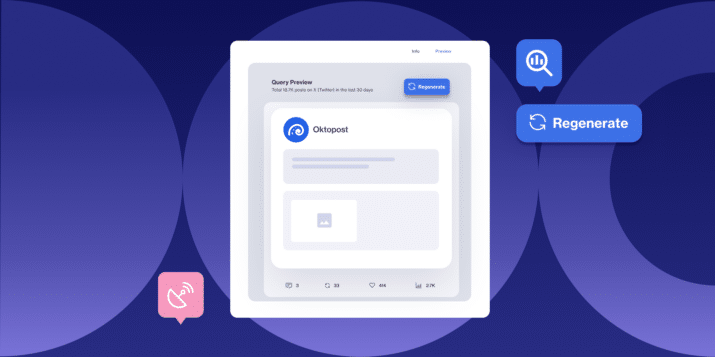
- Query Preview shows a live sample of matching posts from X, plus a 30-day volume signal, before a Social Listening query gets created.
- Generating a preview uses no post credits. Users can refine and regenerate as many times as needed at no cost.
- Preview is mandatory before query creation, so no one launches a query blind.
- The result: cleaner queries, less wasted collection spend, and a faster path from setup to insight.
The Cost of Launching Blind
Setting up a Social Listening query has always meant a bit of a leap of faith.
You choose your keywords, add your exclusions, and hit launch. Only then do you find out whether the query actually captured relevant conversation. Or whether it’s flooded with noise, off-topic chatter, and mentions that have nothing to do with your brand. By that point, the query has already started collecting. You’ve already spent credits, too.
According to The Social Intelligence Lab’s State of Social Listening report, data quality remains one of the most persistent challenges in the industry. So does trust in the underlying data. That’s not a small, occasional headache. It’s a structural gap in how most listening tools are built.
That’s the gap Query Preview closes.
What’s new
Query Preview lets users validate a query before they commit to it.
Social Listening now shows a live sample of matching posts from X. It pairs that sample with a 30-day volume signal. Users see real relevance and real breadth before they spend a single credit. The query never goes near a live collection until they’re ready.
How it works
Generate a preview from X
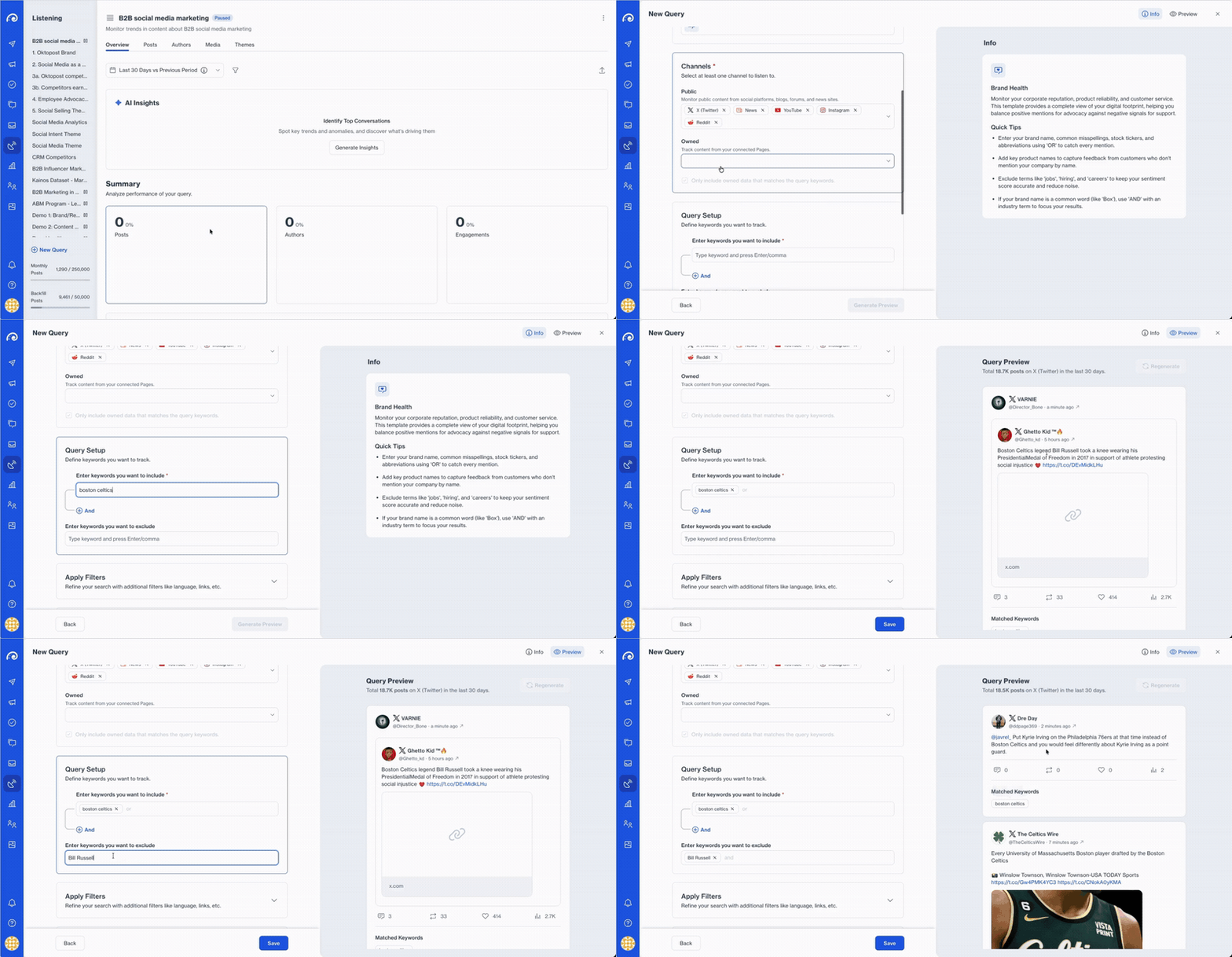
Set up a query as usual, keywords, exclusions, and all, then generate a preview before saving.
Oktopost pulls a live sample of matching posts from X and displays them directly in the query builder. Instead of guessing whether your keywords will catch the right conversation, you can actually read what they’re catching.
See volume before you commit
Alongside the sample, Query Preview shows a 30-day volume signal for the query as written.
A query returning a handful of relevant posts a month tells a very different story than one returning tens of thousands. Seeing that number before launch tells users exactly what scale of data to expect. They can check it against what they actually had in mind.
Refine and regenerate
If the sample is noisy or the volume looks off, there’s no need to launch and hope for the best.
Tighten the keywords, add an exclusion, and regenerate the preview. Generating a preview never consumes account post credits. Users can refine a query as many times as it takes, at zero cost, until the sample and volume both look right.
Why this matters for B2B social teams
Guesswork is expensive
Every Social Listening query used to be a bet. You wouldn’t know if it paid off until it had already started spending credits. Query Preview removes that bet entirely. Users see real relevance and real volume before committing, so the credits an account does spend go toward signal, not noise.
Iteration used to mean launch and hope
Before Query Preview, the only way to fix a bad query was to create it, launch it, and wait. Then you’d edit it based on what came back. That loop is slow, and every pass through it costs credits and time.
Now that loop happens entirely before launch, teams can iterate on a query as many times as needed. They only save it once they’re confident it’s right. That’s the same idea behind Social Listening Templates, which help teams start from a proven structure instead of a blank query builder.
Catching up to where social listening needs to be
A relevance sample and a volume signal at build time have become table stakes for serious social listening tools. Query Preview brings Oktopost in line with that standard. More importantly, it means cleaner data from the start. The signals social listening surfaces, from pipeline influence to competitive intelligence, become more trustworthy the moment you build a query.
Ready to schedule smarter?
The leap of faith is gone. Now you can look first.
Query Preview is available now in Oktopost Social Listening.
Already using Oktopost?
Look for Query Preview next time you build a query in Social Listening, or reach out to your account manager with any questions.
New to Oktopost?
Book a demo to see how Query Preview and the rest of Social Listening help B2B teams turn social data into cleaner, more trustworthy insight.