

A simpler way to repurpose video for social
Your webinars, podcast episodes, customer interviews, and executive recordings hold some of your best authentic social content. The challenge is turning that long-form video into polished clips quickly enough to keep up with your publishing calendar.
For most B2B teams, that process still involves jumping between multiple tools to trim footage, add captions and transitions, resize formats, and prepare content for different social channels.
To help address this, we’re introducing Video Studio.
Video Studio is found right inside Oktopost’s Media Library. It brings video editing and repurposing capabilities into the same environment where teams already manage and publish social content, enabling a single workflow for editing, repurposing, and publishing.
What is Video Studio
Oktopost Video Studio is a native video editing and repurposing tool inside Oktopost. It helps B2B teams create short-form social clips, add captions, apply brand styling, and publish directly to social channels.
As it’s directly inside the Oktopost Media Library, social media managers no longer need to jump between different tools to create a single social video.
Turn long-form video into social content, faster
Video Studio helps your team repurpose content faster within the same social workflow. A single webinar can become weeks of social content without juggling tools or waiting on video editors.
Here’s how to turn a 60-minute webinar into social-ready clips in under 15 minutes:
Edit video without leaving Oktopost
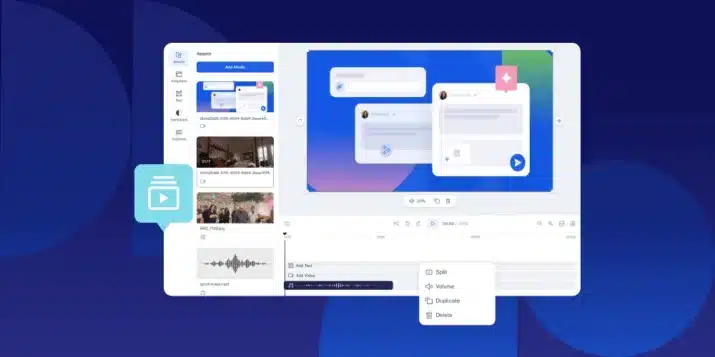
Video Studio simplifies the editing process with transcript-based editing.
Each uploaded video is automatically transcribed. You can highlight text in the transcript to remove sections, add transitions, and create clips instantly. You can also use a traditional timeline for more precise editing.
This makes it easier to turn long recordings into short, focused social content.
Add captions and optimize for every social channel
Most social videos are watched without sound. Captions are essential for engagement.
Video Studio automatically generates captions for every clip. You can review and edit them before publishing.
You can also export transcripts or adjust subtitles for accuracy when needed.
To support different platforms, you can resize videos for common social formats:
- Square (1:1)
- Landscape (16:9)
- Vertical (9:16)
This ensures your content is optimized for each channel without re-editing from scratch.
Publish video directly into your social workflow
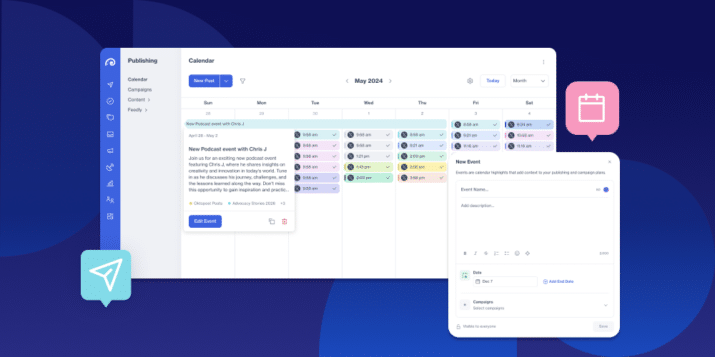
Once your video is ready, you can publish it directly to your Oktopost social calendar.
There is no need to download files or upload them into separate tools.
This keeps content creation, publishing, and measurement connected in a single workflow, with campaigns, analytics, and attribution data aligned in one system.
Video editing and social publishing together in one place
With B2B social and demand generation teams in mind, the most common Video Studio scenarios include:
- Turning webinars into multiple short-form social clips
- Repurposing podcast episodes into LinkedIn video content
- Editing executive interviews for thought leadership campaigns
- Creating multiple social assets from a single long-form recording
- Publishing video content directly into social campaigns
Key capabilities include:
- Transcript-based video editing
- Automated caption generation
- Social format resizing (1:1, 16:9, 9:16)
- Direct publishing to the Oktopost social calendar
Get started in minutes
Video continues to play a key role in B2B social, driving engagement and helping brands build authentic connections.
With Video Studio, teams can quickly turn webinars, podcasts, interviews, and executive recordings into polished, on-brand social clips. By bringing editing, repurposing, and publishing into a single workflow, Video Studio makes it easier to get more value from every piece of video content.
To try it out, log in to your Oktopost account, head to the Media Library, Video Studio, and click Start a New Project to quickly fill your feed with the video content social network algorithms love.