


Today’s B2B marketers are tasked with delivering clear and measurable ROI from their social media initiatives, so unlocking the power of data has never been more important. However, we are only at the beginning when it comes to understanding the types of insights we can gain from social media to demonstrate our impact on the business.
That’s why we’re excited to announce our powerful Business Intelligence (BI) integration with Looker Studio. These integrations enable you to combine your Oktopost social media data with other business data sources to get a full picture of all your marketing activities and channels and drive data-informed decision-making all in one place.
Read on to discover how Oktopost’s Business Intelligence integration with Looker Studio can transform your marketing analytics strategy and connect your social media efforts to actual business outcomes.
What is looker studio?
Looker Studio, formerly known as Google Data Studio, is a powerful business intelligence and data visualization tool that enables its users to explore, visualize, and analyze data by creating customizable, shareable charts and graphs with just a few clicks.
However, as social media is an important part of any B2B marketing strategy, it’s important to be able to include it with the rest of your marketing datasets for a clearer understanding of your marketing efforts.
How does the looker studio integration work?
Our integration with Looker Studio allows Oktopost users to effortlessly pull Oktopost data and combine it with other marketing and business metrics to customize and visualize data in one place.
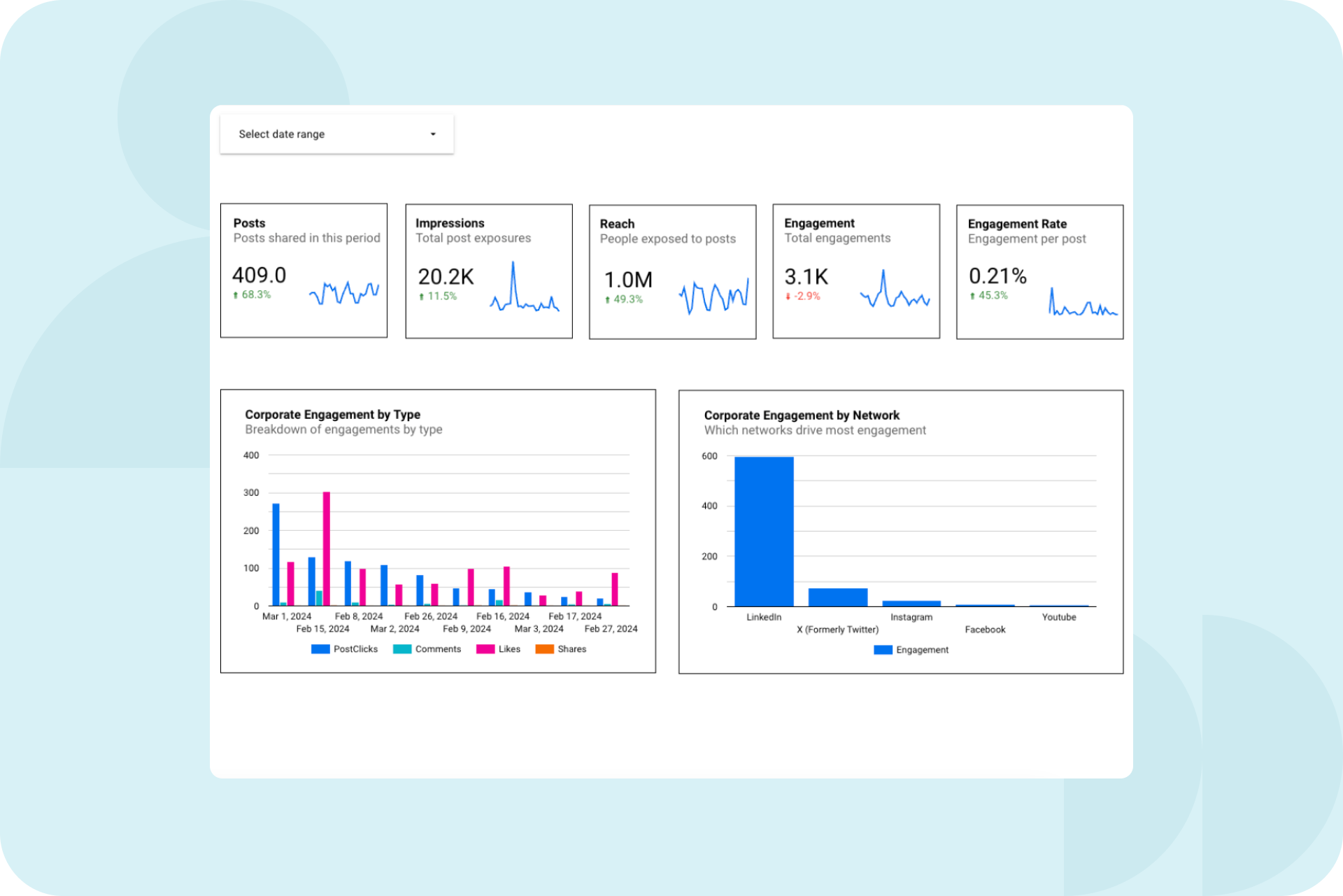
By finding the Oktopost Partner Connector in Looker and entering API credentials to connect to your Oktopost data, you’ll be able to view all Oktopost raw data export reports, including Posts, Clicks, and Profiles right inside Looker Studio and create your own custom reports.
There is even a ‘default dashboard’ available for you to hit the ground running.
The best part? You’ll be able to combine Oktopost data with other data sources like Google Analytics and LinkedIn native data to create custom reports all in one place, making it easier for you to break down data silos and report on social KPIs to your stakeholders.
Why is this integration important?
B2B marketers often struggle to connect their social media efforts to broader business outcomes. With many marketing teams using an array of tools, or running employee advocacy programs and wanting to see its impact on the rest of the organization, it’s no wonder that reporting back to stakeholders can be tricky.
With this integration, you can:
- Combine data: Integrate key data points from sources like Google Analytics and LinkedIn native data to create comprehensive and customized reports.
- Simplify reporting for stakeholders: Leverage data visualization tools to effectively communicate social KPIs to the broader organization and executive team.
- Create custom reports: Replace the tedious process of manually consolidating siloed data with custom dashboards that consolidate all marketing efforts, including social media, in one convenient place.
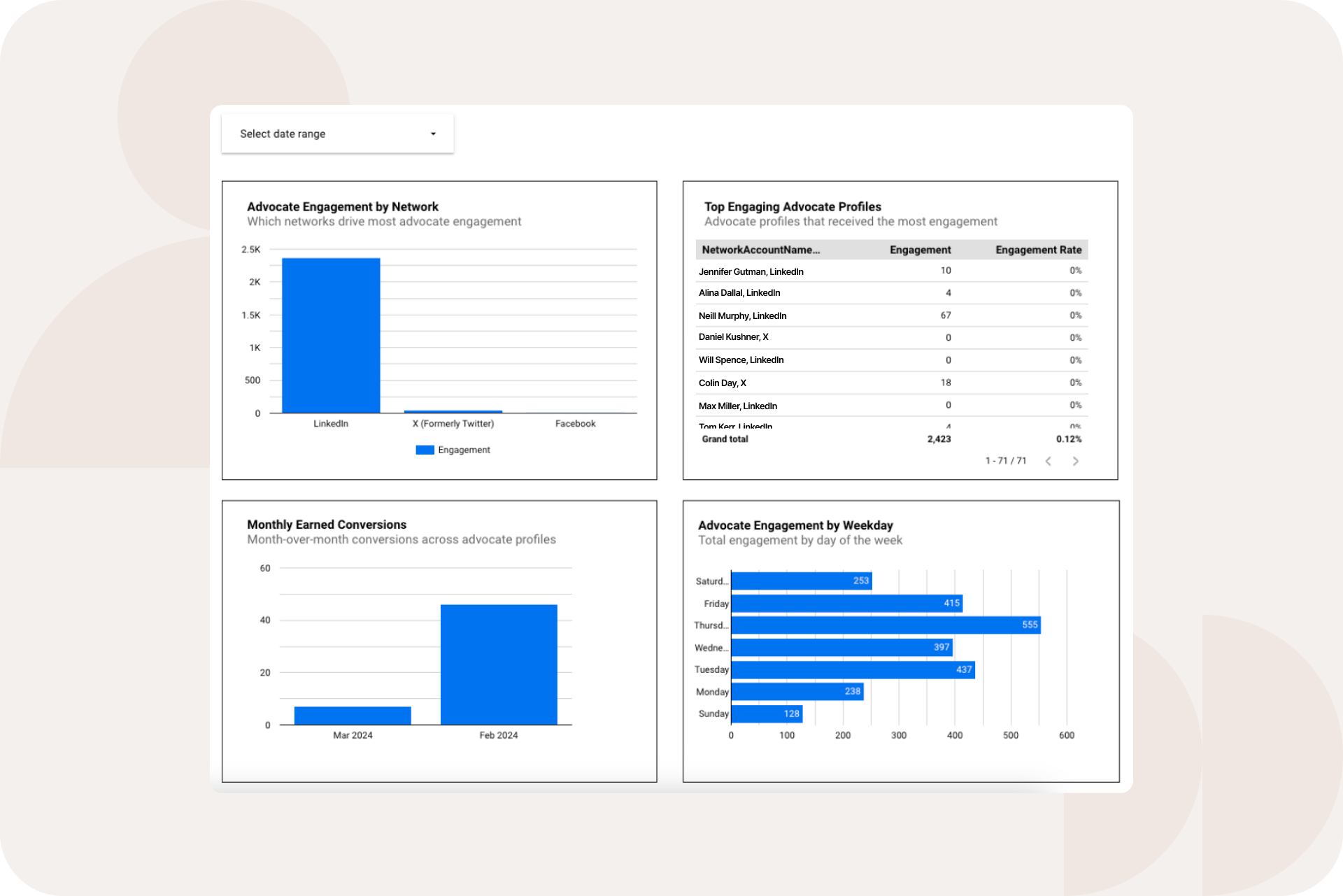
By integrating Oktopost data with other critical business metrics, B2B marketers are able to gain a deeper understanding of how their social efforts are driving measurable results, and this becomes gold when putting data into action.
Getting started: how to set up the integration
Setting up the Looker Studio integration is easy! Simply access our Partner Connector in Looker and enter API credentials to connect your Oktopost data or enable it from the Integrations section of the Oktopost app.
DKSH saw a 100% increase in leads after connecting its social data through a similar integration, this time with Eloqua.